






How to mount your action camera on your helmet and get stable and safe footage

Mounting an action camera on your helmet allows you to record first-person video during rides on motorcycles, mountain bikes, or skis. The position of the camera, the type of mount, and whether the framing is adjusted correctly are all things to consider in order to get stable footage without compromising safety.
Those who want to use a camera during their outdoor activities have numerous mounting solutions available, such as adhesive mounts for the chin guard or those to be applied to the top or side of the helmet. In this guide we will see how to mount the action camera on the helmet, where to place it and what precautions to take to fix it correctly.
Where to place the action camera on the helmet: chin guard, shell or on the side?
Before you start editing, it's important to choose the position that best suits the type of footage you want to achieve. Each attachment point offers a different perspective and can affect the aerodynamics, weight distribution, and stability of the camera.
1. Chin Mount
The chin guard mounting is one of the solutions used for motorcycle shooting, especially with full-face helmets, as long as the model is compatible with this type of installation.
In this case, the camera is located in a position close to that of the rider's eyes and allows part of the handlebars and instrumentation to be included in the frame. The result is a subjective shot that returns a perspective similar to that of the rider.
Compared to attaching to the top of the helmet, this position can also reduce direct exposure to the wind, depending on the shape of the helmet and motorcycle. Also check that the mount does not interfere with the visor, vents or other elements of the helmet.
2. Top Mount
If you also want to shoot the surrounding landscape, you can place the action camera on top of the helmet. The position offers a wide view, but you have to keep in mind that, especially on motorcycles, this setup exposes the camera more to the wind.
You should also be aware of obstacles overhead, such as low branches or passages with low height.
3. Side Mount
Side mounting is an alternative when the shape of the helmet does not allow a mount to be easily installed on the chin guard or top.
This configuration allows the central area of the helmet to be kept free, but produces a slightly off-center framing with respect to the direction of gaze.
In addition, the weight of the camera is distributed on one side only. For this reason, it is important to choose a compact stand, make sure that it does not obstruct your head movements, and adjust the angle correctly before you start recording.
How to attach the action camera to the helmet
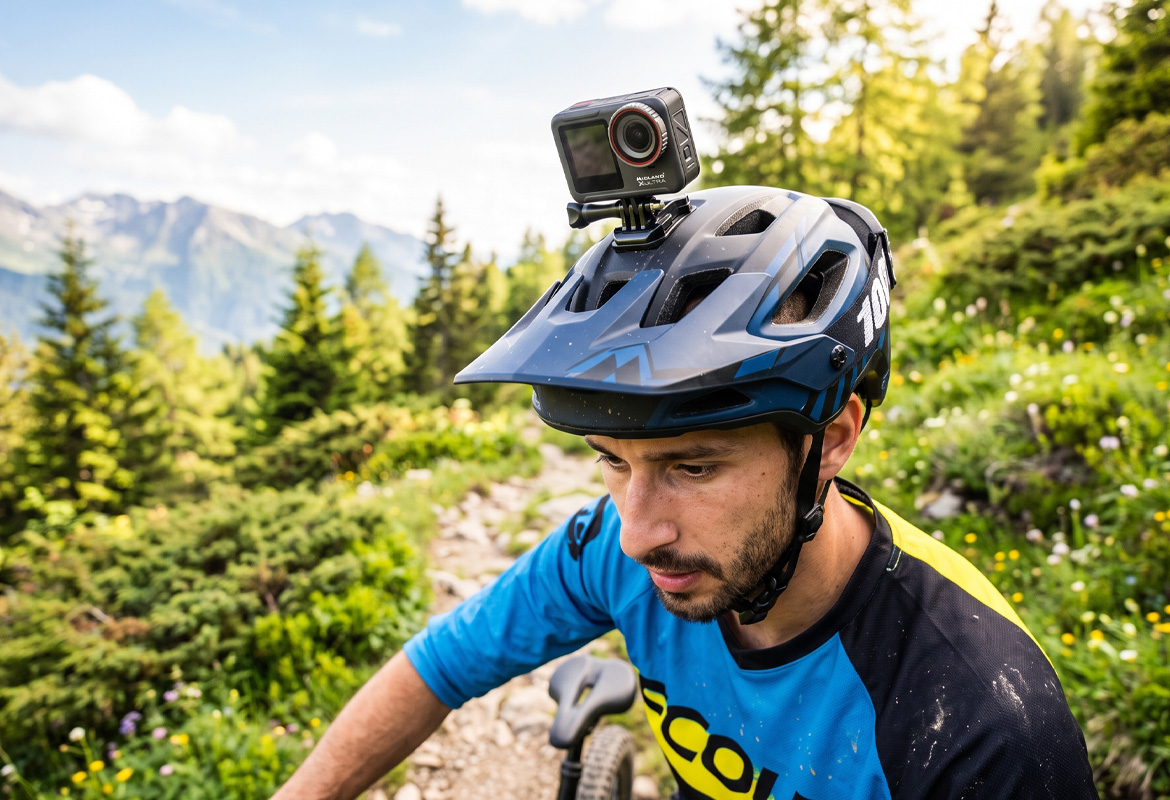
Once you have identified the position, choose a fastening system that is compatible with your helmet and camera. Among the solutions available are adhesive mounts, systems with adjustable straps and clamp mounts. The choice depends on the shape of the helmet, the type of shooting and the manufacturer's specifications.
Before installation, it is always a good idea to check the instructions of the helmet and mount manufacturer: not all surfaces and configurations are suitable for the application of external accessories.
If adhesive mounting is allowed, here are the main steps to follow:
Step 1: Clean the surface of the helmet: To promote the adhesion of the substrate, the surface must be clean and dry. Dust, grease and residues of polishing products can in fact reduce the hold of the double-sided adhesive.
Use a soft cloth and detergent that is compatible with the material and finish of the helmet, following the manufacturer's directions. Avoid harsh solvents, such as acetone, which could damage the surface.
Step 2: Choose the correct adhesive base: Helmet shells have different curvatures, which is why it is important to choose an adhesive base that fits the surface. Mounts can be flat or curved: the choice depends on the shape of the point where you want to install the camera.
Before removing the protective film, place the base on the helmet to verify that it fits properly, leaving no gaps along the edges. If the surface is not compatible, avoid forcing the mount and consider a manufacturer-approved alternative solution.
Step 3: Apply the mount and respect the adhesion times: After locating the attachment point, remove the protective film and place the adhesive base on the surface of the helmet.
Apply even pressure, following the instructions provided with the holder. For technical adhesives, the temperature and time elapsed after application can also affect the hold. Some double-sided adhesives, such as 3M VHB, develop their adhesive strength progressively and can take several days to reach their final hold. Therefore, before using the camera, respect the indicated waiting times.
Step 4: Adjust the camera angle: Once you've secured the mount, it's time to adjust the framing. One of the most common mistakes is to orient the lens when standing, without considering the position your head will take during the activity. On a motorcycle, for example, your torso and head can be tilted forward, especially on sports bikes.
To get a proper shot, put on your helmet and assume your normal driving position when the vehicle is stationary. If your camera has a smartphone app with real-time preview, use it to control framing and adjust the angle of the lens. This will help you verify that the video includes the road or route without being overly oriented downward or upward.
How to mount the action camera on the helmet without stickers
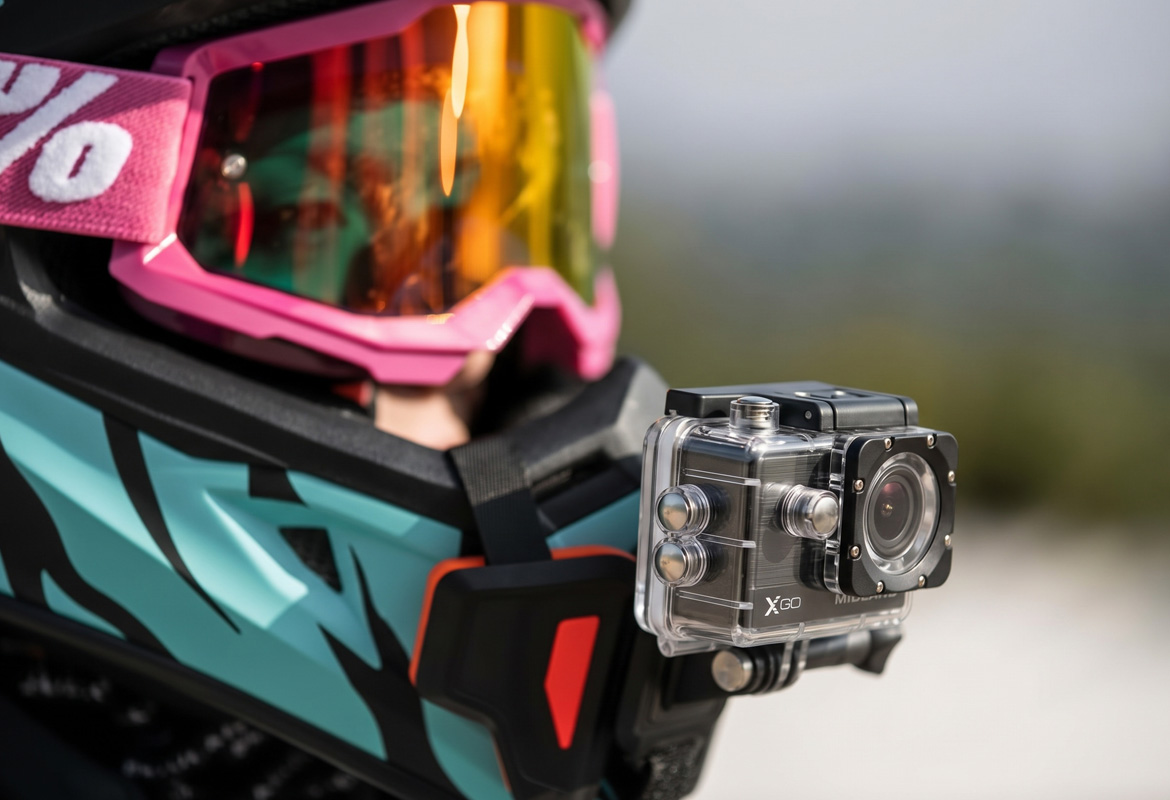
As an alternative to adhesive mounts, you can also use fastening systems with adjustable straps or clamps, as long as they are compatible with the helmet model. Mounts with adjustable straps allow you to attach the camera without applying double-sided adhesive tape to the shell. The straps should be positioned according to the manufacturer's instructions and adjusted so that the mount remains stable during movement, without obstructing the visor, vents or other components of the helmet. Clamp mounts, on the other hand, attach to specific parts of the helmet, such as the chin guard, when the shape allows it. To install them, it is necessary to position the clamp in the intended place and adjust the tightening system according to the manufacturer's instructions, verifying that it does not exert harmful pressure on the structure. In either case, before using the action camera, check the stability of the attachment and make sure that the mount does not interfere with the correct fit and operation of the helmet.
Action cam in the helmet: safety rules
When trying to put your action camera in your helmet, it's important to distinguish between external mounting and inserting accessories inside the protective structure.
The camera should not be placed between the shell and the pads, nor inside the elements designed to absorb shock. Modifying these components may compromise the effectiveness of the helmet in the event of an impact. ECE 22.06 approved helmets meet precise safety standards. To preserve their approval and integrity, external accessories must be installed strictly following the helmet manufacturer's instructions. Before mounting an action camera on your helmet, consider these precautions as well:
Do not drill or modify the shell: drilling holes to install screws or handcrafted supports can weaken the structure of the helmet and compromise its compliance with the homologation conditions.
Check the compatibility of accessories: Use only mounting systems that are permitted by the helmet manufacturer and suitable for the camera.
Check the fastening before each use: check that the base, joints and any release mechanisms are intact and correctly tightened.
In addition to the correct mounting on the helmet, the characteristics of the camera also affect the quality of the footage. To learn more about the aspects to consider, from image stabilization to video resolution, it is good to know how to choose the action camera that best suits your needs.
Record your adventures on two wheels with a high-quality video camera: